
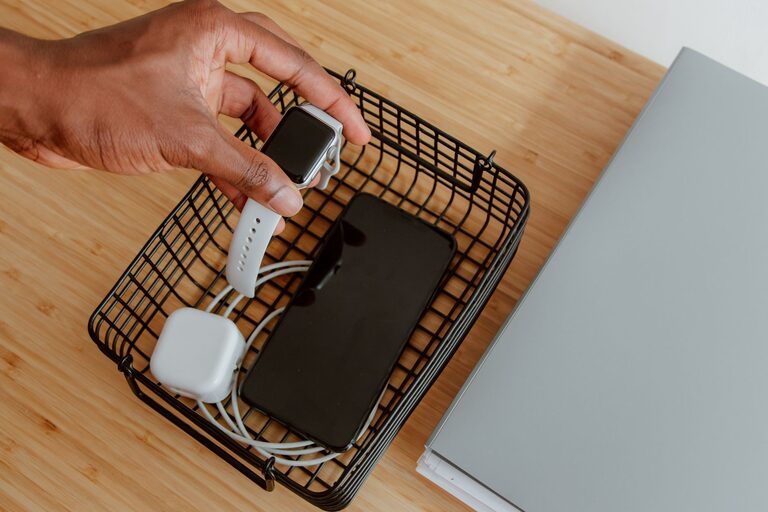
How to Set Up a Charging Station for Your Devices at Home
Setting up a dedicated charging station for your devices can simplify your daily routine and keep your space tidy. Whether you have smartphones, tablets, smartwatches, or wireless earbuds, having a central spot to power them up helps avoid clutter and tangled cords. This guide will walk you through the process of creating an efficient and safe charging station in your home.
Why You Need a Charging Station
With multiple devices in use every day, charging them in different locations often leads to misplaced cables and last-minute searches for outlets. A charging station:
– Keeps devices organized
– Reduces cable clutter
– Ensures easy access to power
– Protects devices from damage due to improper charging
– Saves time by charging multiple devices simultaneously
Choosing the Right Location
Start by selecting a suitable spot for your charging station. Consider the following:
– Accessibility: Choose a location where you spend the most time, such as your desk, living room, or bedroom.
– Power source: It should be near a wall outlet or power strip to avoid using extension cords.
– Visibility: A spot in plain sight helps you remember to charge your devices and monitor their charging status.
– Safety: Avoid locations exposed to moisture or heat, such as near windows or kitchen counters.
What You’ll Need
Gather the necessary materials before you begin:
– Power strip or charging hub: Look for one with multiple USB ports and surge protection.
– Charging cables: Use high-quality cables compatible with your devices.
– Charging stands or holders: These help keep devices upright and organized.
– Cable management tools: Velcro straps, cable clips, or organizers reduce tangles.
– Container or tray: Optional, for holding smaller accessories like earbuds or adapters.
Step-by-Step Setup Guide
1. Clear and Prepare the Space
Remove any clutter from your chosen area. Clean the surface to create a neat environment for your station.
2. Arrange Power Sources
Plug in your power strip or charging hub and secure it to avoid accidental unplugging. If possible, hide excess cord length behind the station using cable organizers.
3. Organize Cables
Sort your charging cables by device type or length. Use cable clips or Velcro straps to keep them neat and untangled.
4. Position Charging Stands or Holders
Set up stands or holders on the surface. These keep devices upright, making it easier to view screens and notifications during charging.
5. Connect Devices and Test
Plug your devices in to test the setup. Make sure every port works correctly and that cables reach devices comfortably.
6. Add Storage for Accessories
If desired, place a small tray or box nearby to hold chargers, earbuds, or adapters when not in use.
Tips for Maintaining Your Charging Station
– Label cables: This helps quickly identify the right cable for each device.
– Avoid overloading outlets: Only use surge protectors that can handle the power load.
– Update cables regularly: Replace frayed or damaged cables to ensure safe charging.
– Keep the area clean: Dust and debris can affect connections and device safety.
– Charge smart: Avoid leaving devices plugged in for extended periods once fully charged.
Optional Upgrades
– Wireless charging pads: Great for compatible phones and accessories, reducing cable use.
– Smart plugs: Control your charging station remotely or schedule charging times.
– LED indicators: Some charging hubs include lights to show charging status.
– Decorative elements: Customize your station with mats, plants, or photos to blend with your room.
Conclusion
Setting up a charging station is a practical way to keep your devices powered and organized. With the right location, tools, and a little planning, you can create a simple, effective station that meets your daily needs. Start today to enjoy a clutter-free and efficient charging experience!
